Order for your family’s chaos.
Someone has to know that picture day is Thursday. Someone has to remember the cleats. That someone is always you.
Avenday is an AI-supercharged organizer that holds your family’s whole week, the calendar, the lists, and the thousand small facts that make it run, and hands you only the part that needs you today.
How Avenday works
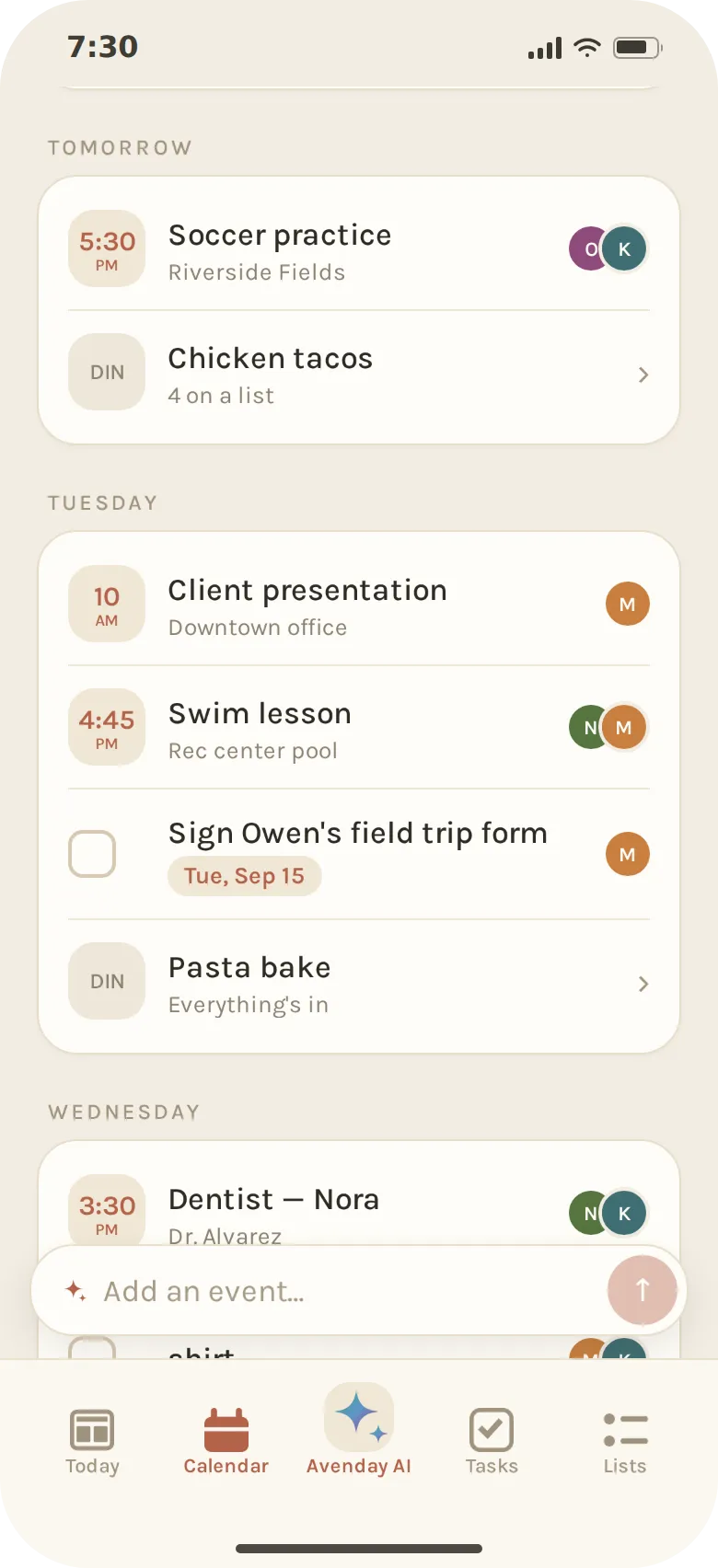
Sunday, 7:30 pm
The week in one breath.
Nobody wants to open the calendar on a Sunday night. Avenday already has: every calendar you connected, every task, every dinner, and who is on each one. What it found fits in a sentence on the Today screen. A quiet evening, and a collared shirt to wash before Thursday.
There’s also a full calendar, tasks, shopping lists, and an AI assistant to help you wrangle it all.
- Google Calendar and iCloud calendars can connect to Avenday
- Shared family access by default
- AI assistant to help plan, schedule, and calm the chaos
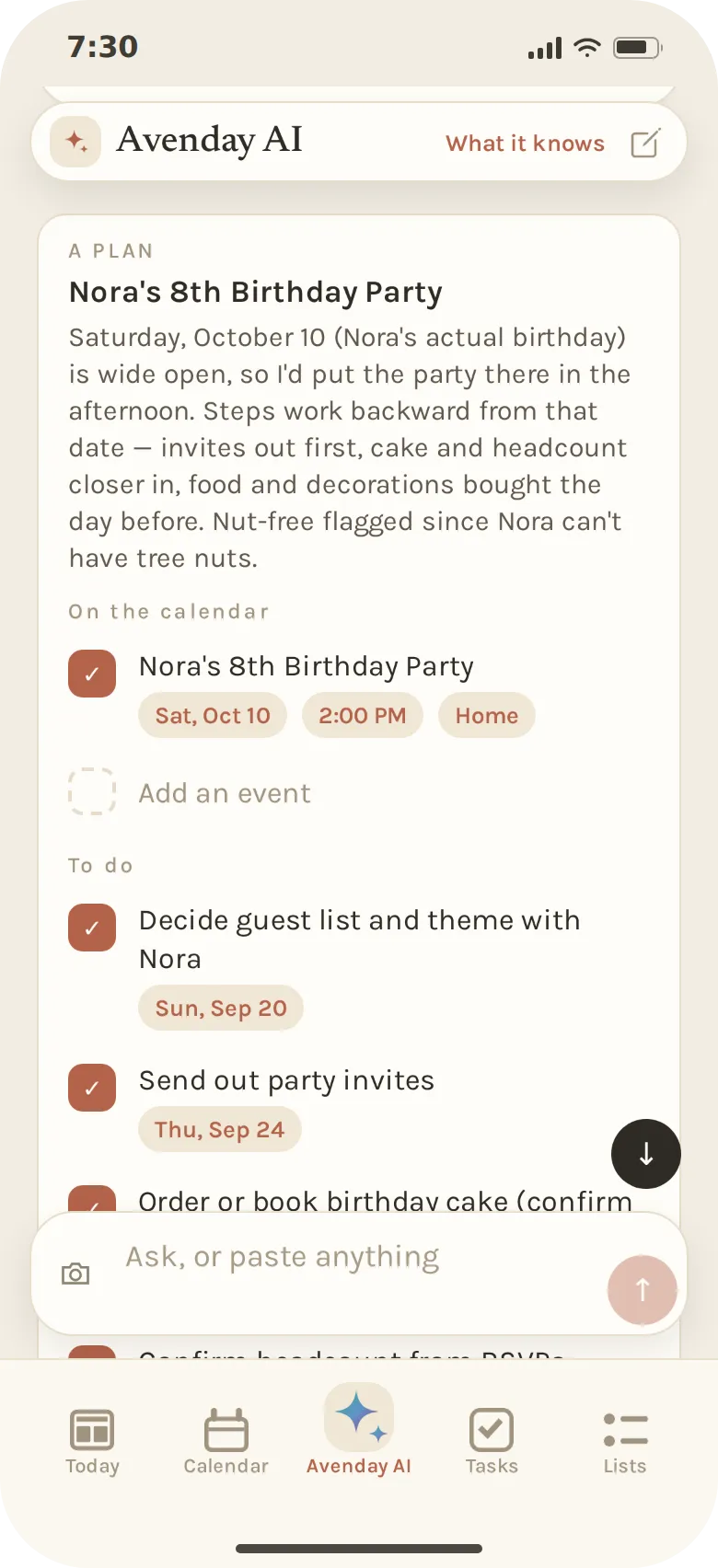
Avenday AI
“Plan Nora’s birthday party.”
One sentence builds the entire plan. Avenday looks at what is already on the calendar, remembers that Nora can’t have tree nuts, and works back from her birthday: guest list this week, invitations by the 24th, the cake ordered a week before, a shopping list for the day.
Nothing is saved until you’ve read it. Change a date or the place right on the card, untick anything you don’t want, and add the rest in one press.
- Easily plan a birthday party, trip, or anything else you need help with
- Each step gets a day that leaves time for the one after it
- Nothing is booked or bought for you. The plan is yours to run
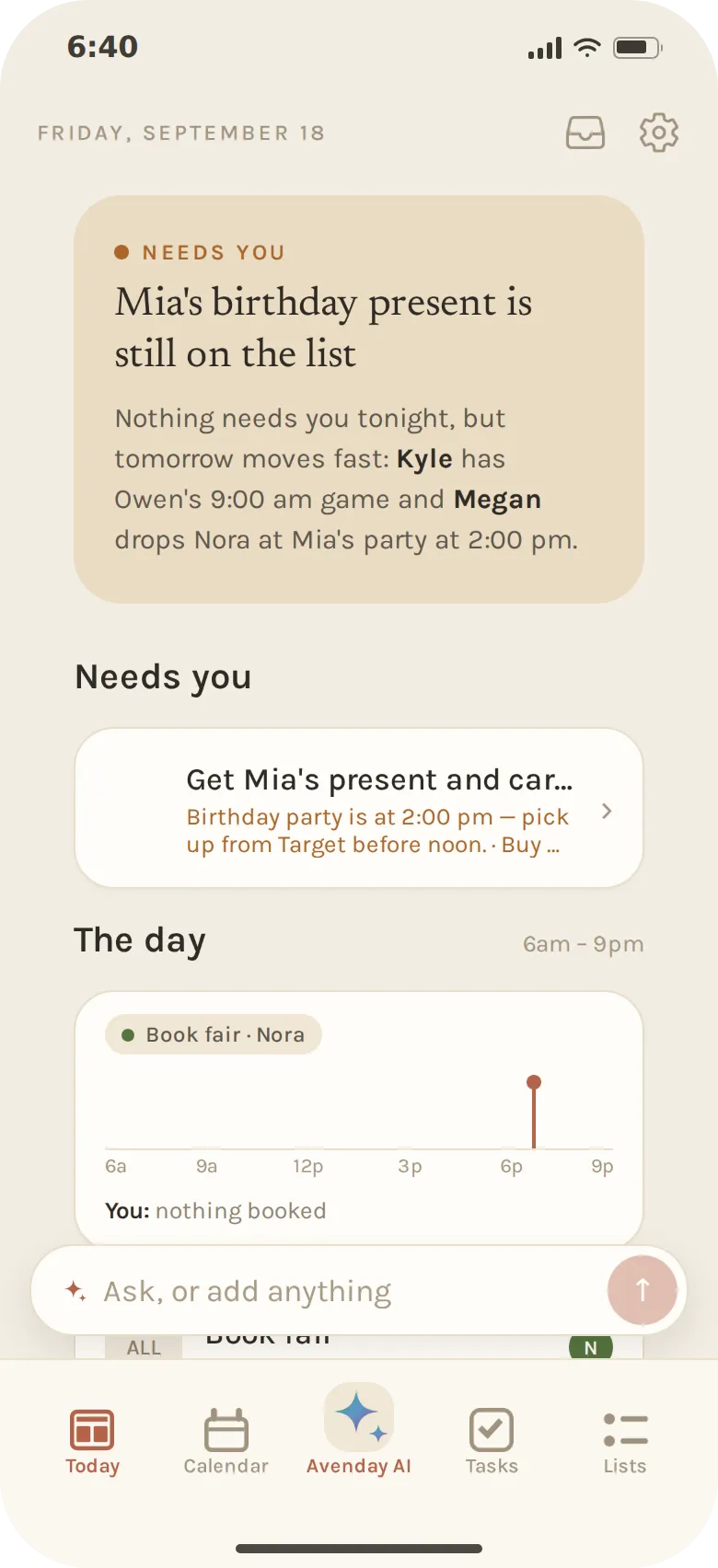
Friday, 6:40 pm
Quiet, until the night before it matters.
Most days Avenday doesn’t interrupt you. Friday night, with Mia’s party tomorrow afternoon and the present still sitting on the Target list, it taps you once.
It speaks up for the things that close tonight or tomorrow: a form nobody signed, a purchase nobody made, two plans that just collided. The rest waits for when you open the app.
- Interrupts only for what can still be fixed
- A concern you’ve answered stays answered
- The morning briefing can arrive as one notification, too
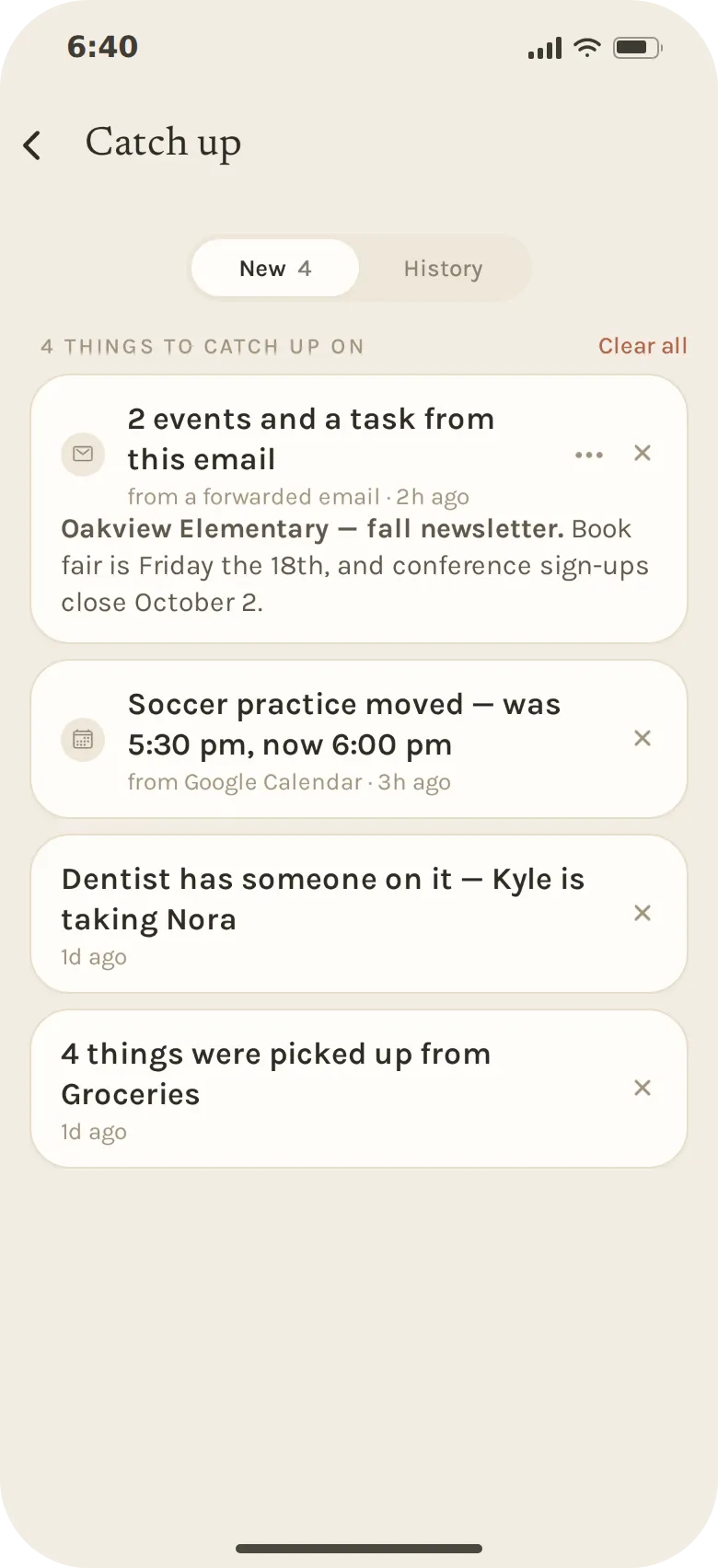
Forwarded mail
Forward the newsletter. Keep the three lines that matter.
Your family gets its own Avenday email address. Forward the school newsletter, the team update, the party invitation, and Avenday reads all of it, puts the dates on the calendar and the to-dos on the list, and tells you what it did.
Whatever changed while you were busy waits in Catch up, one line each: a practice moved on the shared calendar, Kyle picking up the dentist run.
- Events, tasks and facts pulled from the message and marked as from email
- Mail from a sender you haven’t approved waits until you allow it
- The message itself kept with your family’s files
Messages
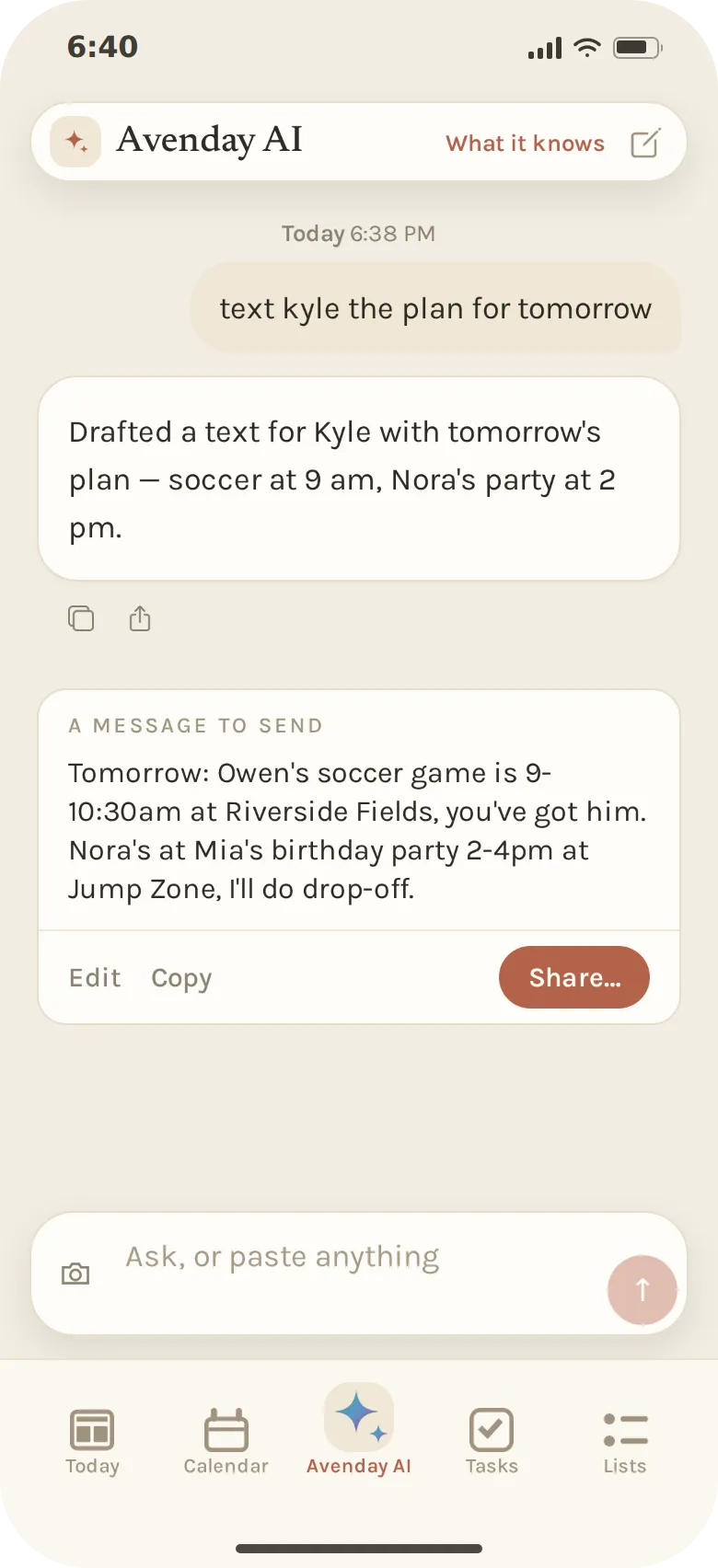
“Text Kyle the plan for tomorrow.”
Avenday drafts from what is actually on the calendar in the way you would have written it. Read it, change a word, send it from your own Messages. It never sends anything itself.
- Send anything via text or email
- Every time and place is read off the calendar
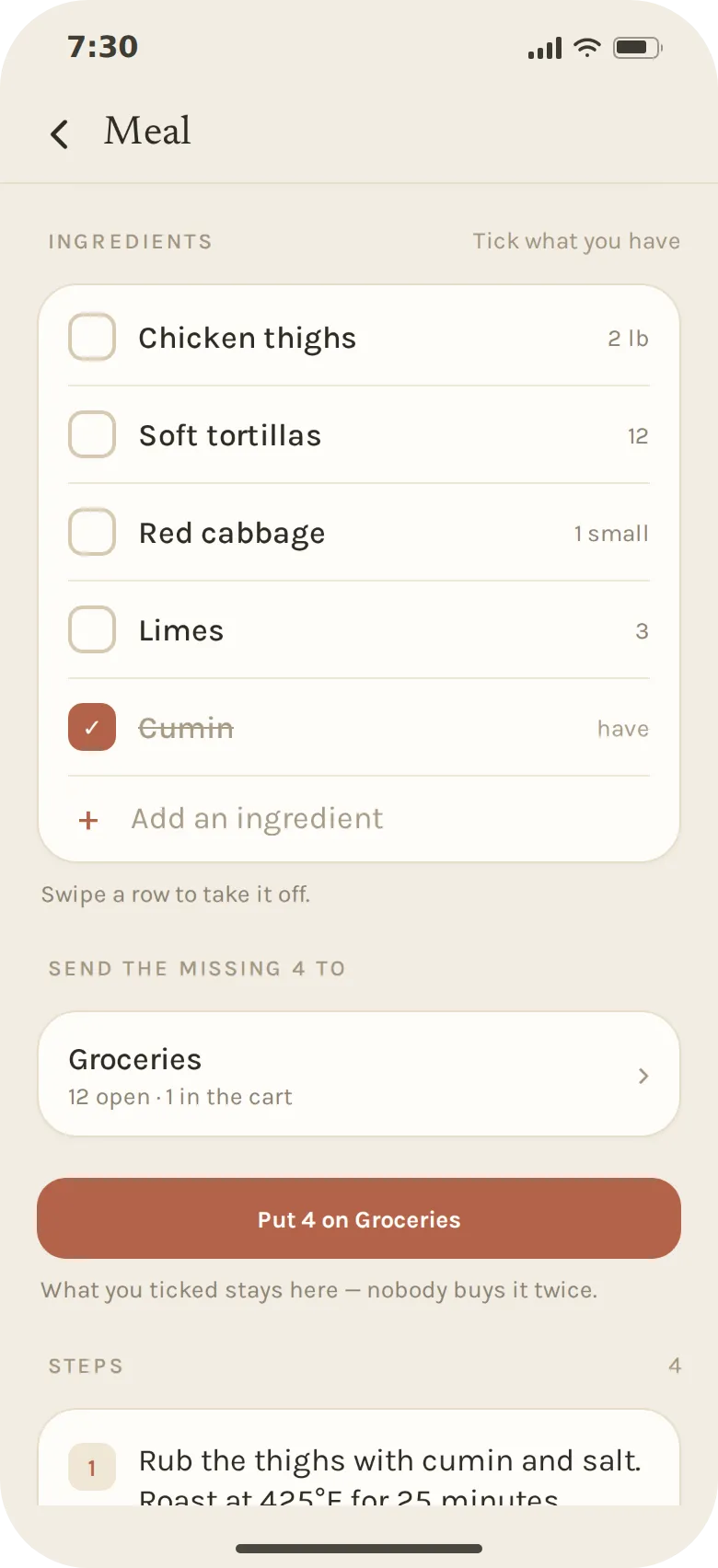
Dinner
Dinner decided and the grocery list already updated.
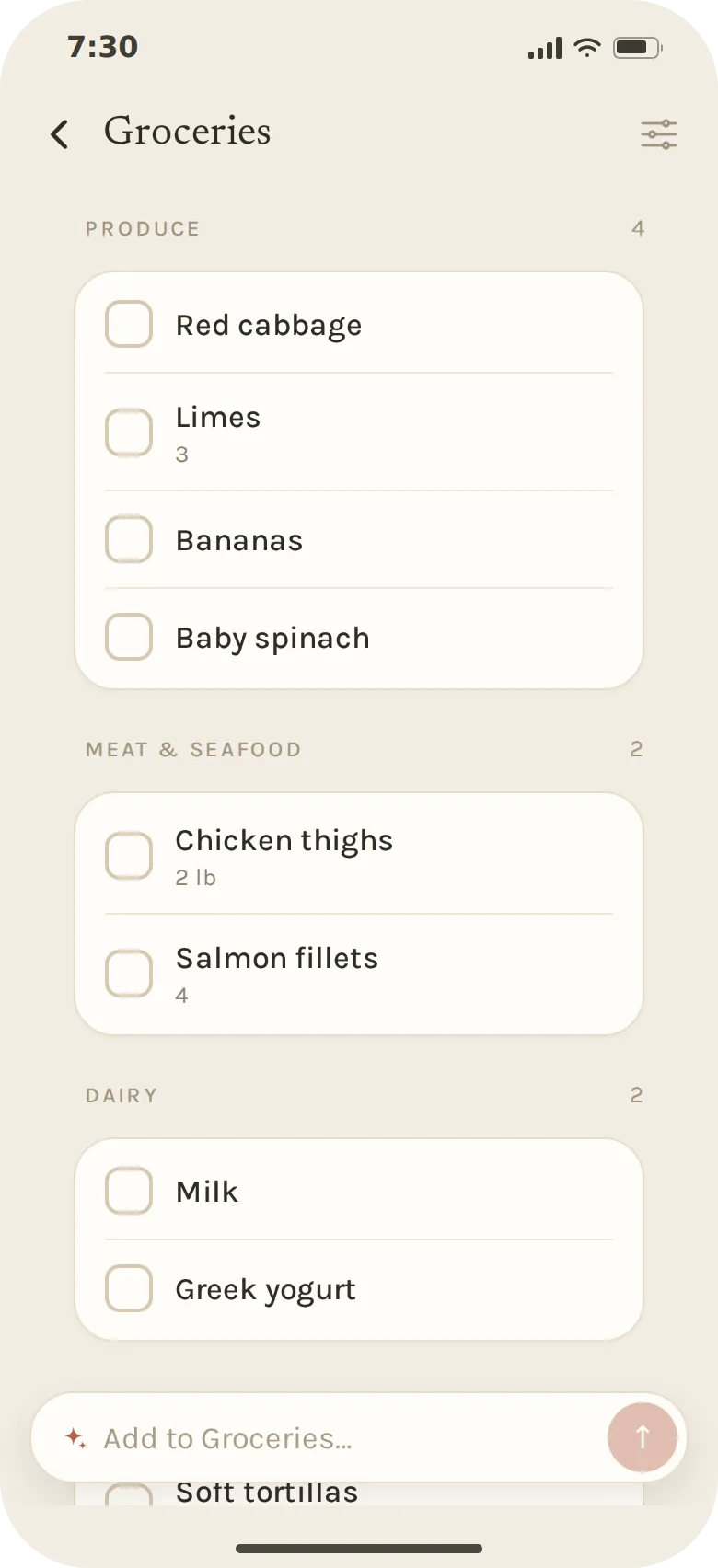
Plan the week’s dinners with magic. Mark what’s already in the house, send the rest to Groceries in one press, and the list sorts itself by aisle so the store is a single pass.
- Name a dish or entire meal and its ingredients fill in
- Items grouped by aisle, shared with the family
- A list can be the whole family’s or just yours
What Avenday knows
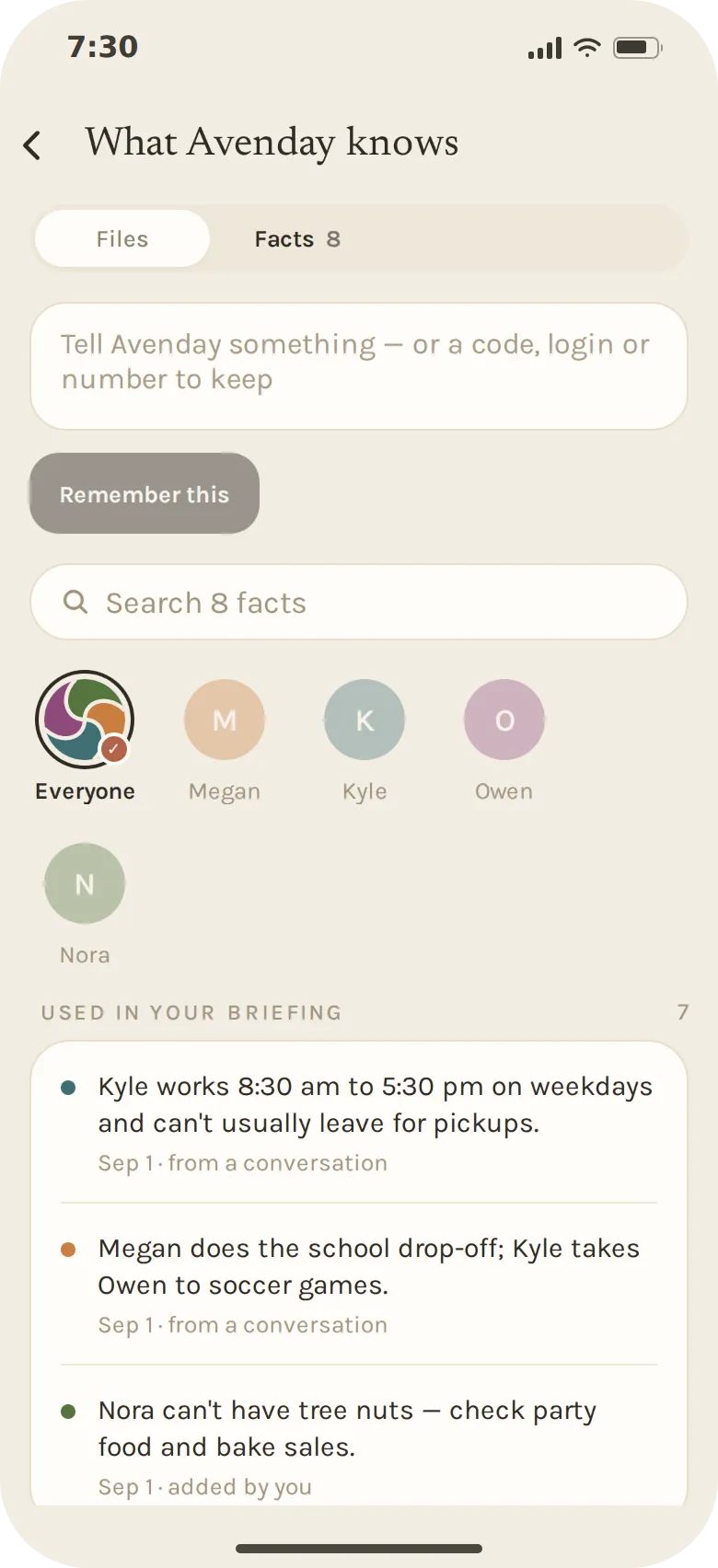
An assistant is only as good as what it remembers.
Kyle works until 5:30. Megan does the school run. Nora can’t have tree nuts. These are the facts that make a briefing useful, so Avenday keeps them somewhere you can see.
One screen, in plain sentences, filterable by person. Some shape every briefing; others, like a school’s name or a locker code, stay out of the way until you ask. Anything wrong, you correct. Anything stale, you forget.
Around the house
Works with your existing calendar
Google Calendar and iCloud work seamlessly, and what you add in Avenday can land back in your Google Calendar.
Chores that come back
The furnace filter every three months, the trash every Sunday. Tick it off and the next one is already there.
Lists just for you
A list can belong to the whole family or only to you, so the surprise-party list stays a surprise.
A calendar anyone can follow
Publish the family’s week as a calendar feed, so a grandparent or a sitter can subscribe without an account.
What we’re building
Calm by default
A briefing when you open it, and a tap on the shoulder only for what closes tonight or tomorrow.
Correctable, always
Everything it believes about your family is written down in plain language, and one tap away from being fixed or forgotten.
Built for a household
Every plan, list and fact belongs to the family from the first day, and everyone in it is looking at the same week.
Your data
What Avenday asks for, and why.
Avenday only works if you hand it the real week, so it should be plain what that means. Here is every kind of information the app asks for, and the reason it asks.
The calendars you connect
Connect Google Calendar and Avenday asks Google for two things. It reads the list of calendars on your account (read-only, names only) so you can tick the ones that belong in your family’s week. Then it reads and writes the events on the ones you ticked: reading so your week and your briefing are right, writing so a plan you confirm actually lands in your calendar. Nothing else in your Google account is touched. iCloud connects with an app-specific password you create at Apple, which Avenday stores encrypted and you can revoke there at any time.
What the AI sees
Briefings and answers are written by Claude, made by Anthropic. To write them, the events, tasks, list items and facts relevant to that one request, including event text read from your calendar and the text of any email you forward to your family’s Avenday address, are sent to Anthropic to produce a result and nothing else. They are not used to train anyone’s model, ours included.
What we never do with it
No advertising, no selling your information, no sharing it for anyone else’s marketing. Your family’s week is not a data set. Disconnect a calendar or delete your account and the access stops and the data goes.
The full detail is in the Privacy Policy: the exact permissions we request, how long we keep things, and how to get it all back.
Let someone else hold the week.
Avenday is in private beta, starting on iOS with Android on the way. Leave your email and we’ll send an invite as we open seats.